
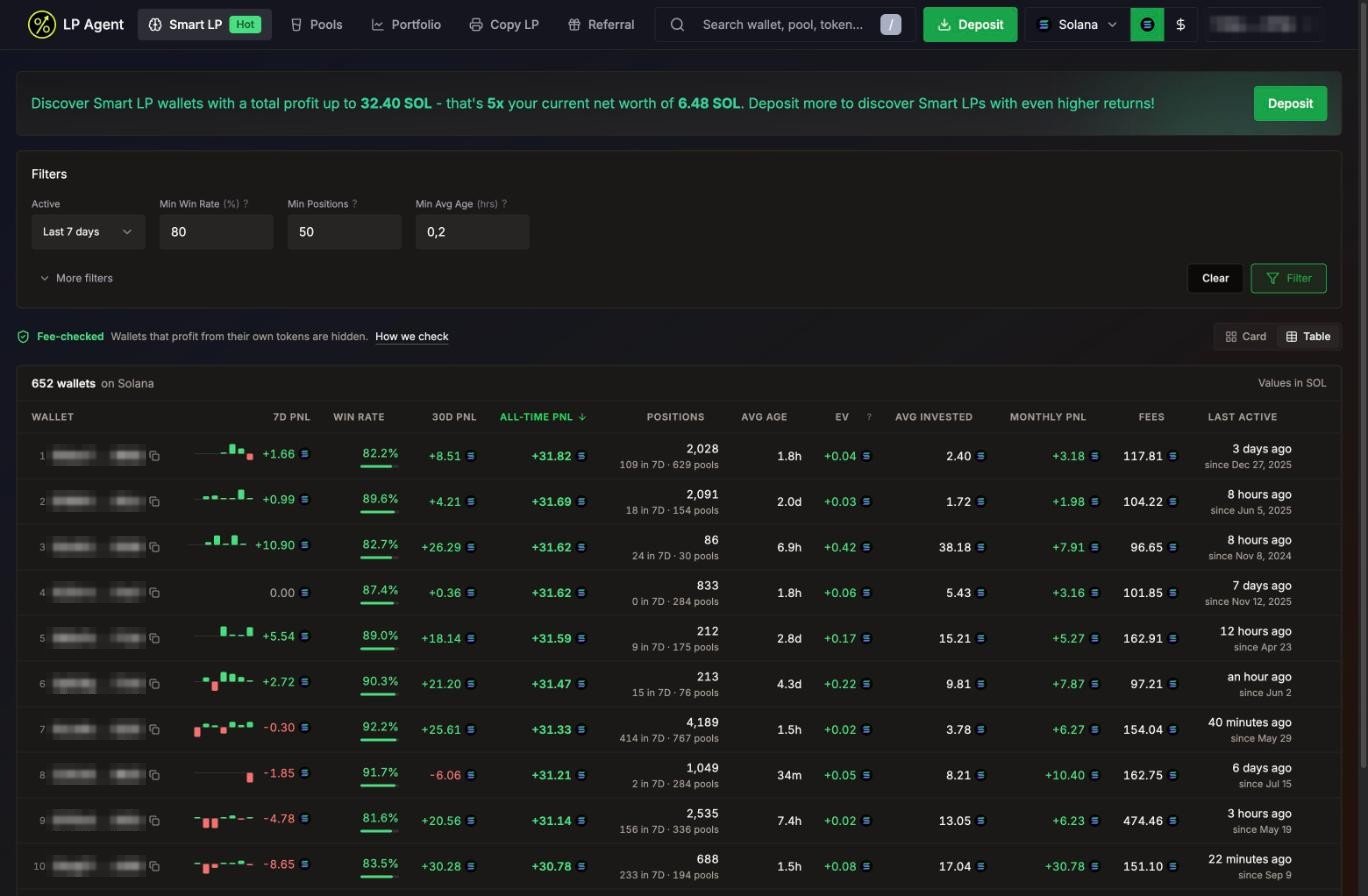
What it ranks
Switch network with the chain picker in the header. Values show in SOL, ETH or USD, following the $ toggle.
Fee-checked wallets only
Some wallets look great on paper because they launch a token, seed its pool and pull the liquidity, not because they earn LP fees. Smart LP hides them. Fee-checked means: if a wallet’s LP fees are under 10% of its profit, the profit came from token price (usually a token it launched itself), and the wallet is not listed. Press How we check on the page for the full explanation.Sized to your wallet (Solana)
On Solana, Smart LP shows wallets whose total profit is up to 5x your net worth (never less than 20 SOL). The banner at the top says where your cap is. Deposit more to see bigger wallets. On Robinhood Chain the list is not capped.Reading the table
Switch between Card and Table view at the top right.
Click a column header to sort (click again to flip the order), or use the sort chips in card view. The default sort is All-time PnL.
Filters
Press Filter to apply. Your filters are saved in this browser. Clear resets them.
Copy a wallet
1
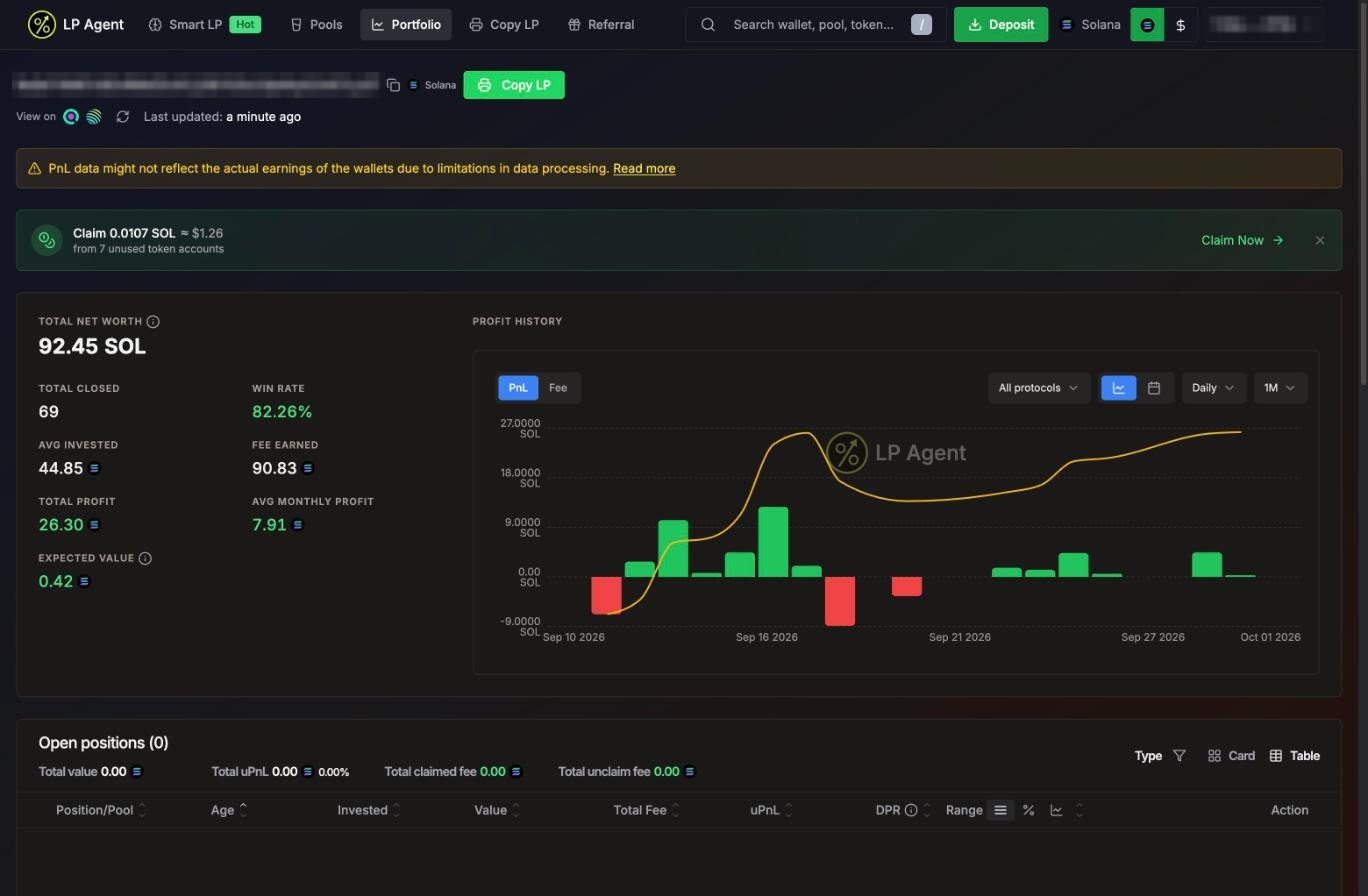
Open the wallet
Click a row or card to open the wallet’s portfolio. Check its open and closed positions, PnL history and fees.
2
Press Copy LP
The button sits next to the wallet address. It opens the copy settings.
When copying is off for a wallet (Robinhood Chain)
On Robinhood Chain, LP Agent also checks each leader’s history. If a wallet’s profit does not come from LP fees, or it mostly LPs into pools of tokens it launched itself, its portfolio shows Copy is off for this wallet with the reason, and the copy button reads Copy off.- You can’t start a new copy of that wallet.
- If you already copy it, new copies are skipped, but your open copies still follow its exits. The wallet shows New copies off in your Copied Wallets list.