
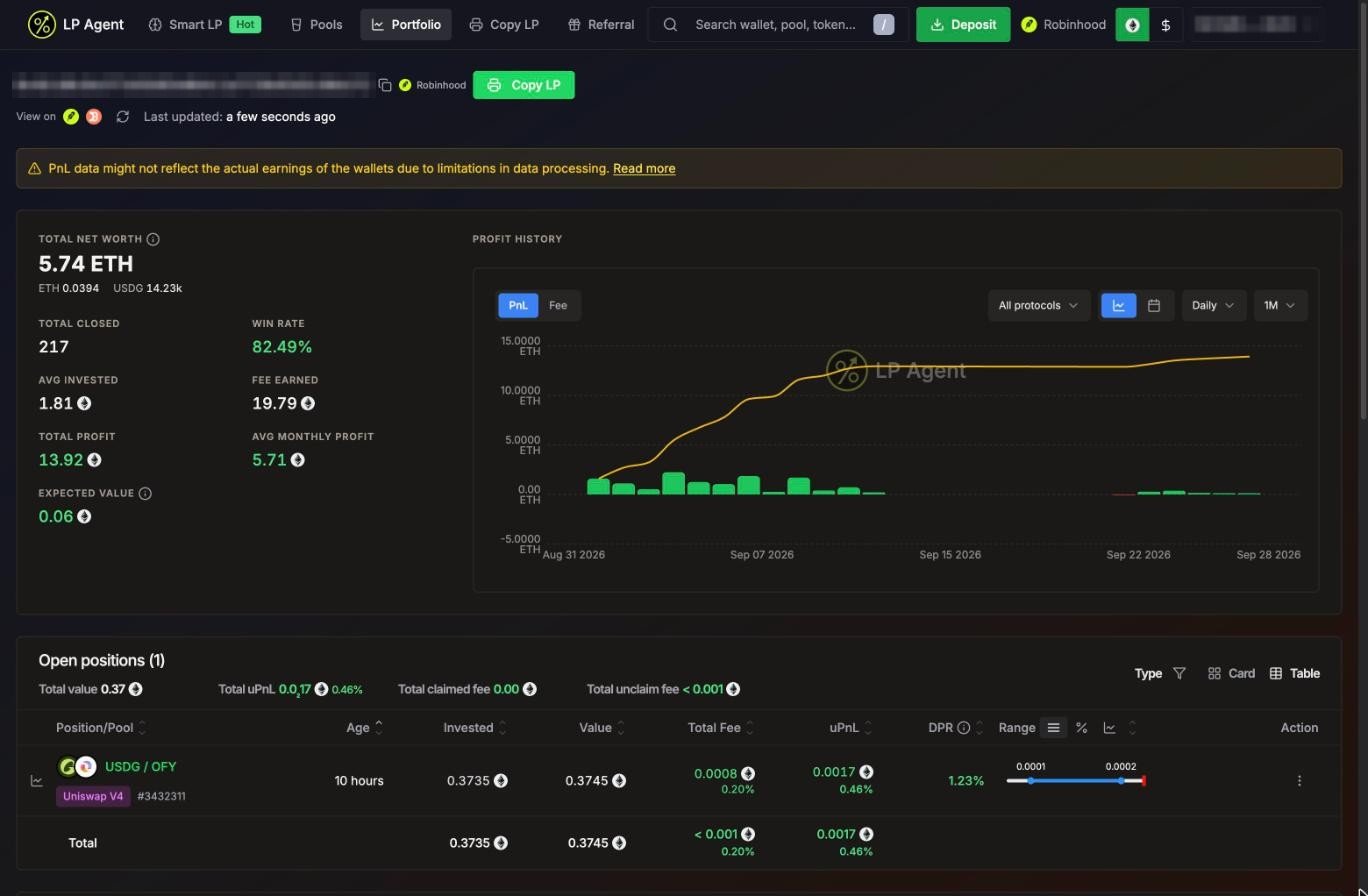
Header
- The wallet address, its network, and links to the block explorer and portfolio trackers (Solscan and Jupiter on Solana; Etherscan and DeBank on Robinhood Chain).
- Refresh and when the data was last updated.
- On someone else’s wallet: Copy LP to copy it. See Copy LP.
- On Solana, a banner when you can claim SOL back from unused token accounts. See Claim SOL.
PnL for wallets other than your own agent wallet may not match what the wallet really earned, because of limits in how it can be measured. See Data Methodology.
Metrics
The $ toggle in the header switches every number between the native token (SOL or ETH) and USD.Profit history
- Switch between PnL and Fee.
- Filter by protocol: DLMM or DAMM V2 on Solana; V3 or V4 on Robinhood Chain.
- Group by Daily, Weekly or Monthly, over 7D, MTD, 1M, 3M, 1Y, YTD or ALL.
- The calendar icon shows a month view with green and red days. Click a day (or Share) to share that day’s result as a card.
Open positions
The summary line shows Total value, Total uPnL, Total claimed fee and Total unclaim fee. Filter by Type (protocol) and switch between Table and Card.
A warning shows next to a token with very few holders.
Historical positions
Every closed position, newest first, with invested, total fee, PnL, DPR and when it closed. Turn on Hide small PnL positions to hide dust. A yellow icon marks rows whose numbers look wrong; they are left out of your stats.Position details
Click a position to open its details:- Profit And Loss, Age, Liquidity (current value next to what the tokens would be worth if you had just held them) and Fee (claimed and unclaimed, per token).
- On Solana DLMM, a Price Bin chart of your liquidity per bin and the current price.
- History: every transaction on the position, with links.
- Logs (your positions only): what LP Agent did, such as take profit queued or close success.
- For copied positions, which leader position it was copied from.