
Turn them on
1
Open Settings > Account
From the account panel, press Settings, then the Account tab.
2
Switch on System Notifications
Your browser asks for permission. Allow it.
3
Enable this device
Each device subscribes separately. If you see “Notifications are on, but this device isn’t receiving them yet”, press Enable on this device.
4
Test it
Press Send test notification.
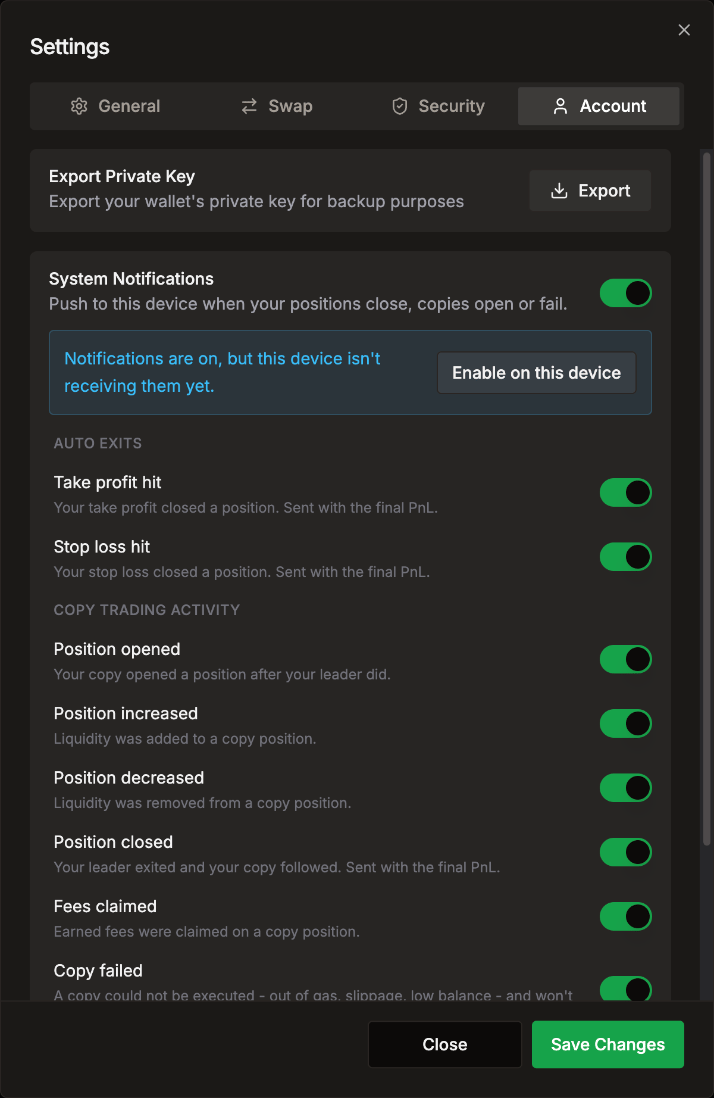
What you can be notified about
Every event is on by default once System Notifications is on. Switch off the ones you don’t want.
You also get a push if LP Agent pauses your copies because your agent wallet is out of funds.
iPhone and iPad
iOS only sends push notifications to apps on your Home Screen:- Open app.lpagent.io in Safari.
- Tap Share, then Add to Home Screen.
- Open LP Agent from your Home Screen and turn notifications on there.