
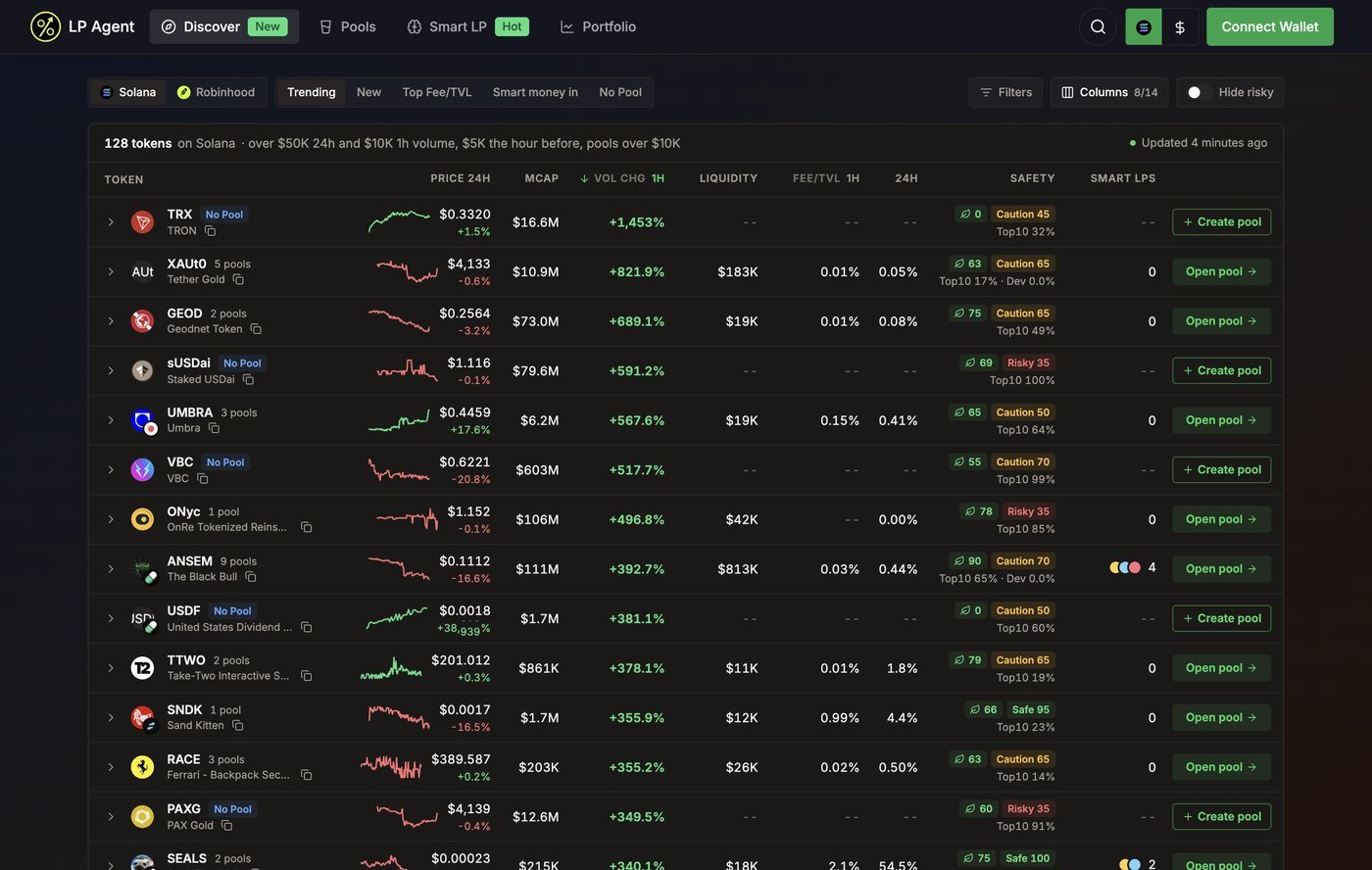
Pick a list
Pick the chain on the left (Solana or Robinhood), then a preset. Each preset is a sort plus a filter; you can change either afterwards.
Discover remembers the chain and the list you picked last (preset or sort, Hide risky and your filters) and opens on them next time. A shared link opens the list it names instead. The table refreshes on its own; the line above the table says when it last did, and prices tick live in between.
Read a row
- Click a column header to sort, click again to flip the order.
- Columns turns columns on and off. When the window is too narrow for all of them, the least important ones make room; the menu marks them No room.
- On a phone each token is a card: the sorted metric sits on the right and a row of chips replaces the column headers for sorting.
Safety and Hide risky
Every token gets a safety score out of 100: Safe (75 and above), Caution (40 to 74) or Risky (under 40). Hover the score to see what it is made of:
Turn on Hide risky to drop tokens scored under 40. Tokens with no audit data are hidden too, because they have no score to pass with. Robinhood Chain has no token audit source yet, so its tokens show the checks that are available.
Filters
Filters narrows any list by token (address or ticker), whether the token has a pool, and ranges for market cap, liquidity, 24h volume, holders and age in hours. Amounts are in USD; you can type500k, 1.5m or 2b. Active filters show as chips above the table; remove one with its cross.
Open a pool
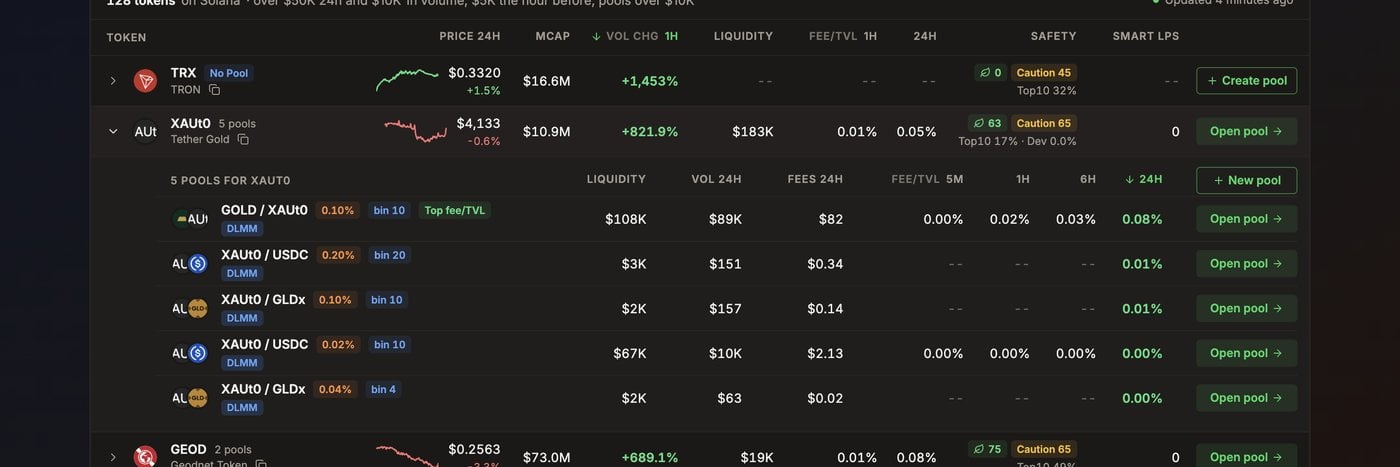
- Open pool goes straight to the token’s top pool, where you add liquidity.
- Click the row (or its arrow) to unfold every pool of the token with its liquidity, 24h volume, fees and Fee/TVL over 5m, 1h, 6h and 24h. The best one carries a Top fee/TVL chip. Each pool has its own Open pool.
- New pool in the unfolded list, or Create pool on a token with no pool, opens the create dialog. See Create a pool.
Share a list
A Discover link carries the chain, preset, sort and filters, so the person you send it to opens the same list.Related
- Pools: every pool LP Agent tracks, with pool-level filters
- Add liquidity: the pool page’s deposit panel
- Smart LP: the wallets behind the Smart LPs column