
- Copying on / off (top right): turn it off to keep following the wallet without copying anything. It moves to Paused in your list.
- Copy (new) or Update Copy (existing) saves every step at once. The footer counts your unsaved changes.
- The box under the steps shows the net worth we suggest for copying: 5 SOL on Solana, 0.08 ETH on Robinhood Chain. It is advice only; nothing is blocked.
Step 1: Sizing
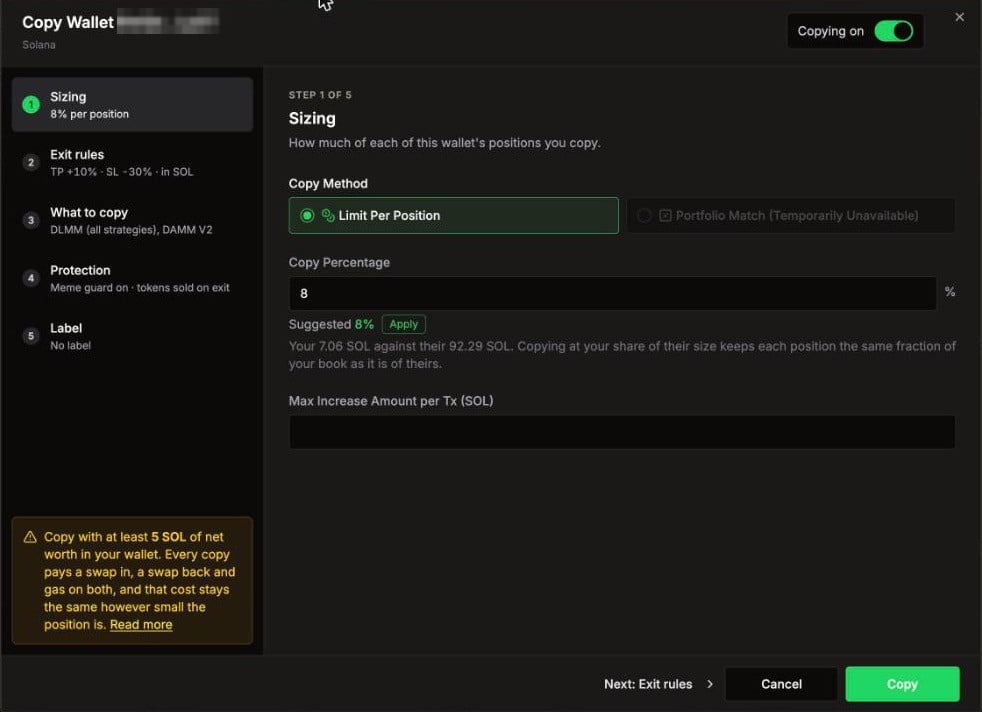
You need a Copy Percentage, a Max, or both.
Fast wallets: when the leader holds positions for less than 18 minutes on average (Solana) or 1 hour (Robinhood Chain), the dialog shows a High-frequency warning. You pay a swap in, a swap back and network fees on every flip, whether or not the trade worked.
Step 2: Exit rules
When your copy closes on its own, before the leader does.
Untick a box to turn that side off. A new copy starts with your account’s default TP/SL (10% / 10% for new accounts).
The TP/SL is saved on each copied position when it opens. If you later pause or stop copying, open copies keep their TP/SL. The Auto TP/SL switch in Settings does not apply to copies; they always use these exit rules.
Step 3: What to copy
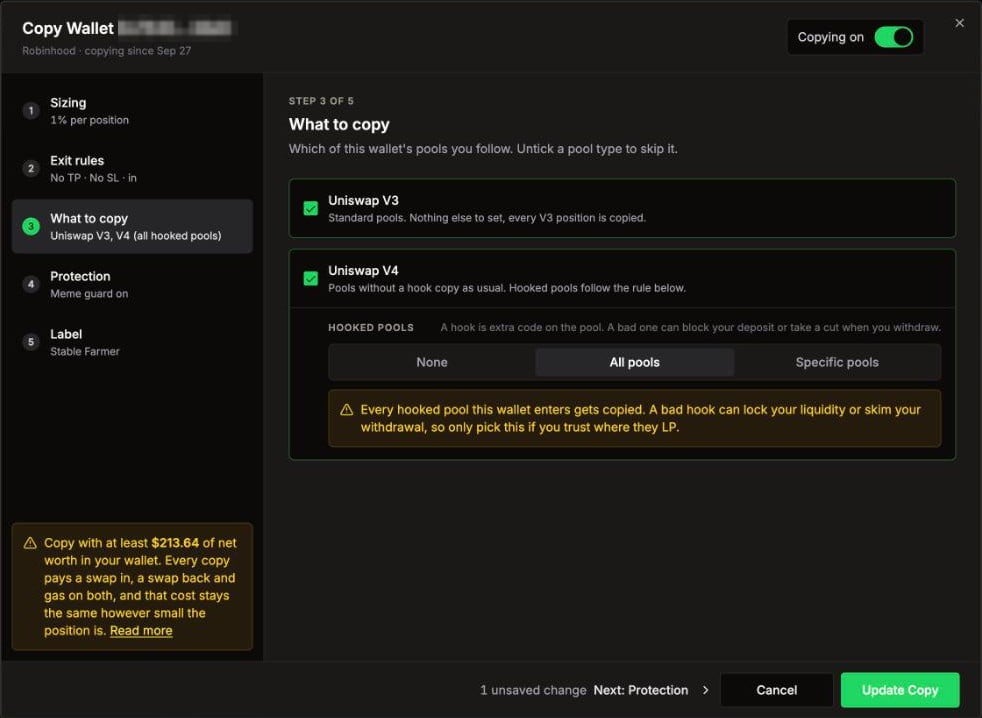
Pick which of the leader’s pool types you follow. Untick a type to skip it.- Solana
- Robinhood Chain
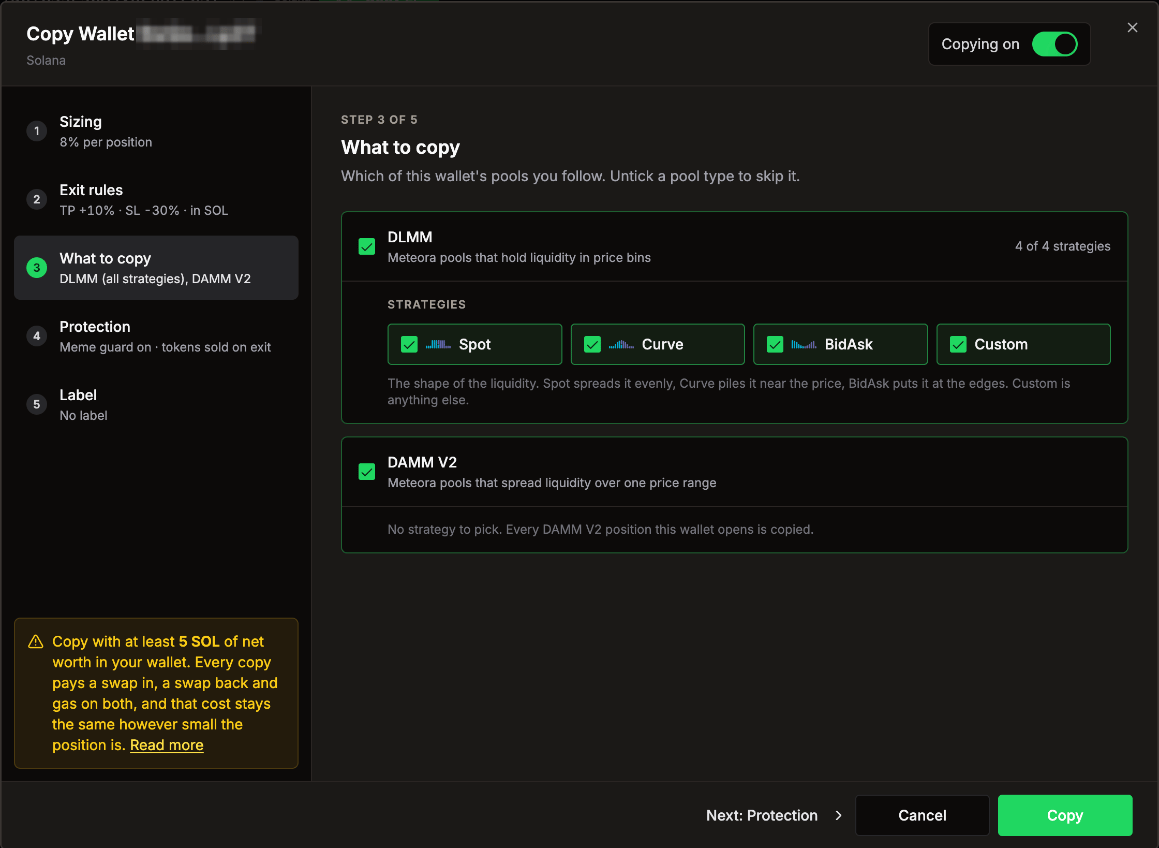
- DLMM: Meteora pools that hold liquidity in price bins. Pick which Strategies to copy: Spot (even spread), Curve (piled near the price), BidAsk (at the edges) and Custom (anything else). A leader position with a strategy you unticked is skipped.
- DAMM V2: Meteora pools that spread liquidity over one price range. Every DAMM V2 position is copied.
Step 4: Protection
Guards that change what LP Agent does with this wallet’s trades.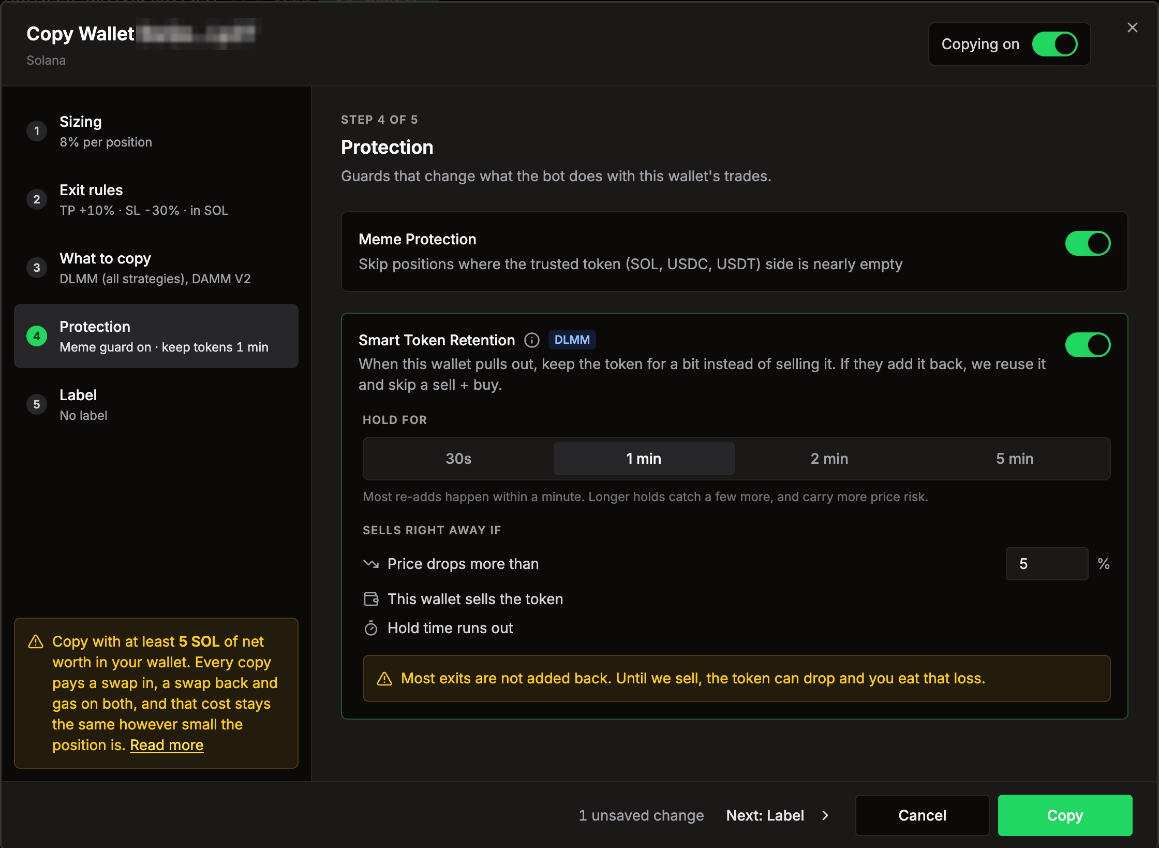
Meme Protection
On by default, both networks. Skips a copy when the trusted side of the pool (SOL, USDC, USDT, or ETH, WETH, USDG) would be nearly empty, that is, when more than 95% of your copy would sit in the other token. Copy Logs shows these as Meme protection.Smart Token Retention (Solana, DLMM)
Off by default. Leaders often pull a position and add the same token back a minute later. Normally your copy sells the token on exit and buys it again on the re-add. With Smart Token Retention on, your copy keeps the token for a short time instead, and reuses it if the same leader adds it back. That skips a sell and a buy.
The card shows how often this wallet added the same token back within 1 and 5 minutes over the last 7 days.
Kept tokens show as Holding in Copy Logs, with a countdown and a Sell now button.
Step 5: Label
A name for this wallet in your lists and in Copy Logs.Account-wide settings that also apply to copies
These live in Settings, not in the copy dialog:- Settings > Security: minimum market cap, minimum 24h volume, minimum holders, Jupiter organic score (Solana) and your token Blacklist. A token that fails any of them is skipped.
- Settings > Swap > Slippage: used for every swap your agent makes, including copies and swap backs.
- Settings > General > Base Token and Keep ETH (Robinhood Chain): fund copies in ETH or USDG, and keep ETH topped up for gas.
On Robinhood Chain, an automatic copy is skipped as Too small for gas when the gas to open and close it would be more than 3% of the copy’s size.