> ## Documentation Index
> Fetch the complete documentation index at: https://docs.lpagent.io/llms.txt
> Use this file to discover all available pages before exploring further.
# Quick Start
> Get started with LP Agent in minutes
## Getting Started
Follow these simple steps to start using LP Agent's AI-powered liquidity management.
### 1. Login and Wallet Setup
Click "Login" and choose your preferred authentication method: - Email -
Google account - Discord account
A secure Privy-powered wallet will be automatically created for you: -
Non-custodial wallet - Fully controlled by you - Optimized for DeFi
operations
Your wallet is secured by Privy's enterprise-grade security infrastructure and
remains under your complete control.
### 2. Fund Your Wallet
Send SOL to your new wallet address: - From an existing wallet - Through a
centralized exchange - Using a direct fiat on-ramp
Ensure your funds have arrived before proceeding to position creation
Always double-check the wallet address when transferring funds. Start with a
small test transaction if you're unsure.
### 3. Deploy with AI Suggestions
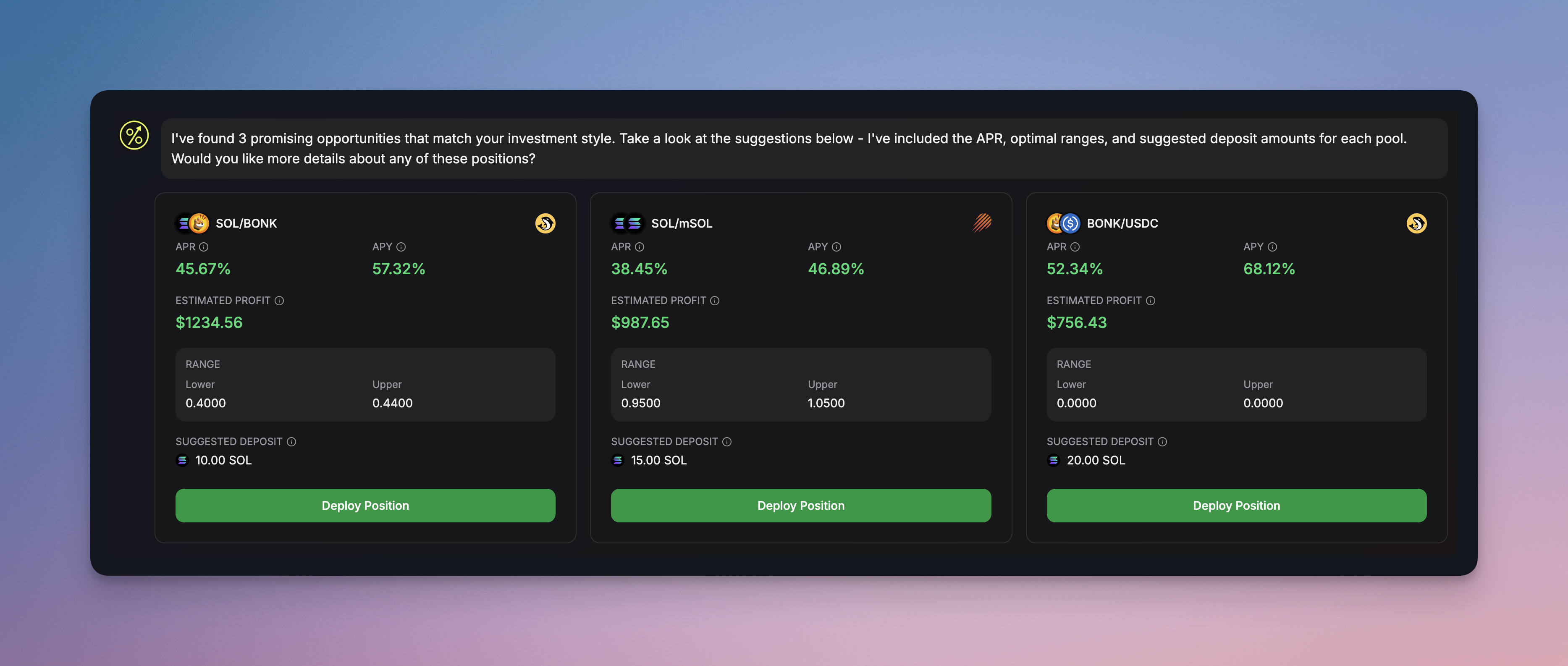
Our AI analyzes market conditions and suggests optimal positions based
on your risk profile
Our AI analyzes market conditions and suggests optimal positions based on your
risk profile
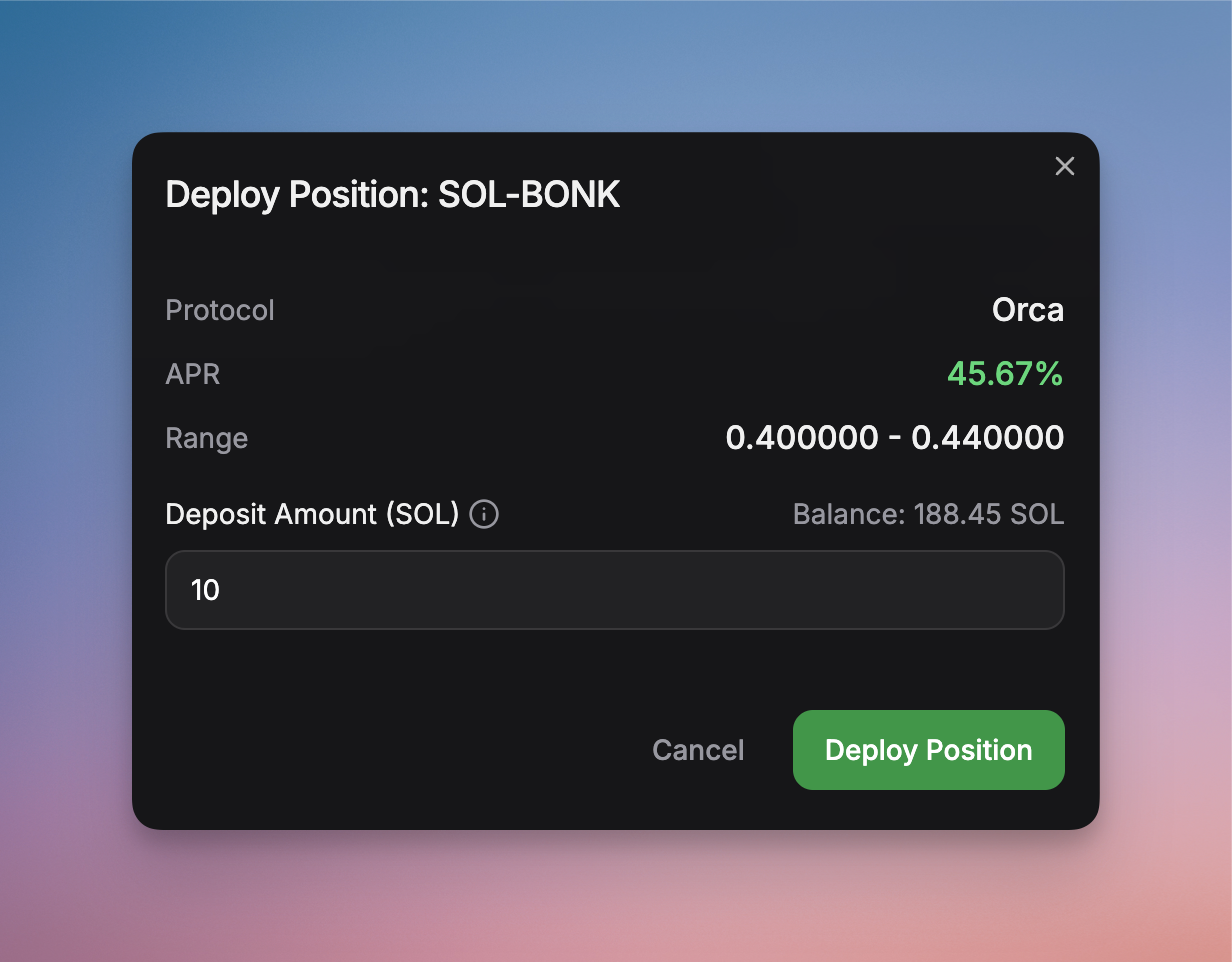
Deploy optimized positions with a single click
Deploy your chosen position with a single click - no complex setup required
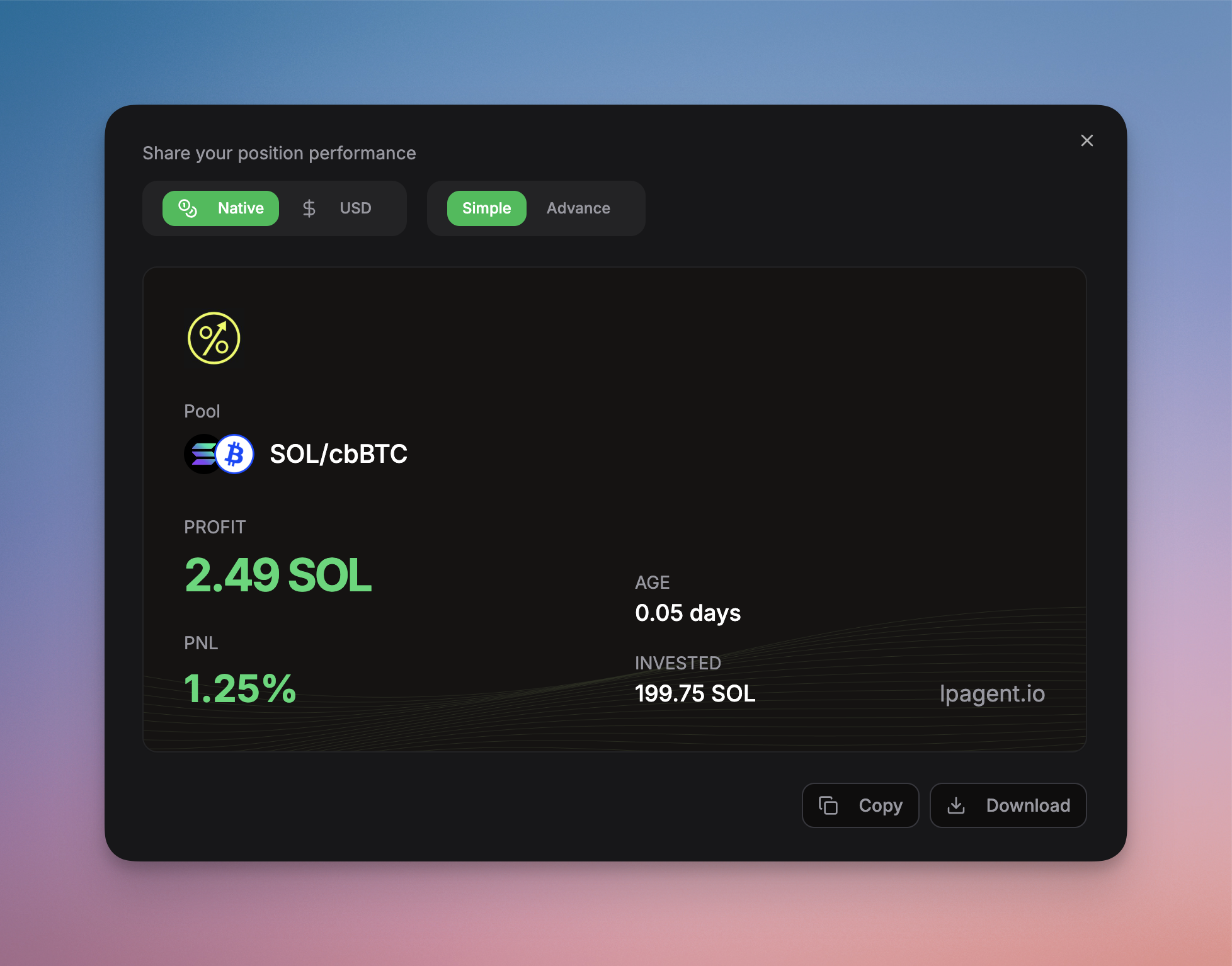
Flex your results with a single click
Flex your results and show off with your friends
## What Happens Next?
Once your position is deployed, LP Agent's automation takes over:
* 24/7 position monitoring - Automatic rebalancing - Fee collection &
compounding - Risk management
* Performance tracking - Profit/loss monitoring - Strategy adjustments -
Market analysis
## Dashboard Access
Monitor your positions through our comprehensive dashboard:
* Real-time performance metrics
* AI-powered insights
* Position management tools
* Historical analytics
Our AI continuously monitors market conditions and will suggest optimizations
to improve your position's performance.
Join our [Discord community](https://discord.gg/h8YDHtzmRU) for support and
connect with other LP Agent users.
 Our AI analyzes market conditions and suggests optimal positions based
on your risk profile
Our AI analyzes market conditions and suggests optimal positions based on your
risk profile
Our AI analyzes market conditions and suggests optimal positions based
on your risk profile
Our AI analyzes market conditions and suggests optimal positions based on your
risk profile
 Deploy optimized positions with a single click
Deploy your chosen position with a single click - no complex setup required
Deploy optimized positions with a single click
Deploy your chosen position with a single click - no complex setup required
 Flex your results with a single click
Flex your results and show off with your friends
Flex your results with a single click
Flex your results and show off with your friends